
Athena - Milestone 3
Just before the Canada day long weekend I reached the third milestone for Athena. This milestone was centered around the game logic system, handling some very basic jewel spawning, and matching for the jewels. The end goal is to have a game that spawns a few jewels at a time and removes jewels from the playing field as matches are found.
The first goal was to get a more accurate representation of the jewels in the game. This means both a more accurate mesh and physics body for the jewels. Neither the mesh nor the body need to be exactly what we want as a finally product but both being spherical is a good start. This way we can see more accurately how gameplay systems will interact in the final iteration.
So let’s start with the mesh! Creating a mesh programmatically would work for something as simple as a sphere but let’s take this chance to create a basic mesh loading system. For simplicity we will use object files; which should be able to handle everything we currently need, vertices and indices, as well as anything we need going forward like texture coordinates and vertex normals.
So now let’s take a look at the structure of our chosen format:
# List of geometric vertices, with (x,y,z[,w]) coordinates, w is optional and defaults to 1.0.
  v 0.123 0.234 0.345 1.0
  v ...
  ...
  # List of texture coordinates, in (u, v [,w]) coordinates, these will vary between 0 and 1, w is optional and defaults to 0.
  vt 0.500 1 [0]
  vt ...
  ...
  # List of vertex normals in (x,y,z) form; normals might not be unit vectors.
  vn 0.707 0.000 0.707
  vn ...
  ...
  # Parameter space vertices in ( u [,v] [,w] ) form; free form geometry statement ( see below )
  vp 0.310000 3.210000 2.100000
  vp ...
  ...
  # Polygonal face element (see below)
  f 1 2 3
  f 3/1 4/2 5/3
  f 6/4/1 3/5/3 7/6/5
  f 7//1 8//2 9//3
  f ...
  ...
Sourced from Wikipedia
This is a very basic structure; but just to reword this, the structure works as follows:
Vertices, vertex normals, texture coordinates:
v number number number optional(1.0)
vt number number optional(w)
vn number number number
Faces or indices: (Please note that these are indexed starting at 1 NOT 0 like c++)
f vertex index/ texture coord index / normal index
So first we can see that it will be very easy to read in a line and use the first string as a conditional.
char type[TYPE_LENGTH];
fscanf(file, "%s", type);
We can then use type to determine how to parse the rest of the line with some basic condition statements. From there parsing the rest of the line is pretty basic and you can store them into whatever data structures you want to use for buffering the data into VBO’s later on. In the below example I am using vectors.
if (strcmp(type, "v") == 0) {
    float x;
    float y;
    float z;
    fscanf(file, "%f %f %f\n", &x, &y, &z);
    vertices.push_back(x);
    vertices.push_back(y);
    vertices.push_back(z);
} else if (strcmp(type, "vn") == 0) {
    float x;
    float y;
    float z;
    fscanf(file, "%f %f %f\n", &x, &y, &z);
    normals.push_back(x);
    normals.push_back(y);
    normals.push_back(z);
} else if (strcmp(type, "vt") == 0) {
    float x;
    float y;
    float z;
    fscanf(file, "%f %f %f\n", &x, &y, &z);
    normals.push_back(x);
    normals.push_back(y);
    normals.push_back(z);
} else if (strcmp(type, "f") == 0) {
    unsigned int vertexIndex[3], normalIndex[3], uvIndex[3];
    int matches = fscanf(file, "%d/%d/%d %d/%d/%d %d/%d/%d\n", &vertexIndex[0], &uvIndex[0], &normalIndex[0], &vertexIndex[1], &uvIndex[1], &normalIndex[1], &vertexIndex[2], &uvIndex[2], &normalIndex[2]);
    if (matches != 9) {
        // You don't really need this but for the object files I am using this should always be true
        printf("Couldn't read indices of object file: %s properly", fileName);
        return false;
    }
    // Again we subtract 1 because these are indexed starting at 1 and not 0
    indices.push_back(vertexIndex[0] - 1);
    indices.push_back(vertexIndex[1] - 1);
    indices.push_back(vertexIndex[2] - 1);
 }
The goal will be to use our object loader to load this mesh into our game
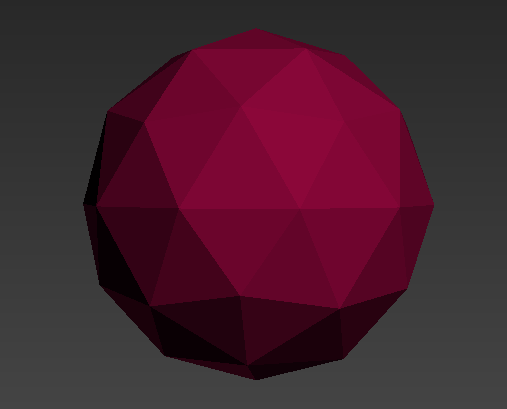
Before we test this I’m going to say it one last time because despite reading it I had completely forgot while making this object loader that the indices of object files begin at 1 and not 0 like c++ and OpenGL. I ended up with this beauty and spent longer than I would like to admit debugging it:
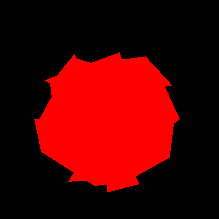
But once we have everything up and running you should be able to load meshes from object files correctly.
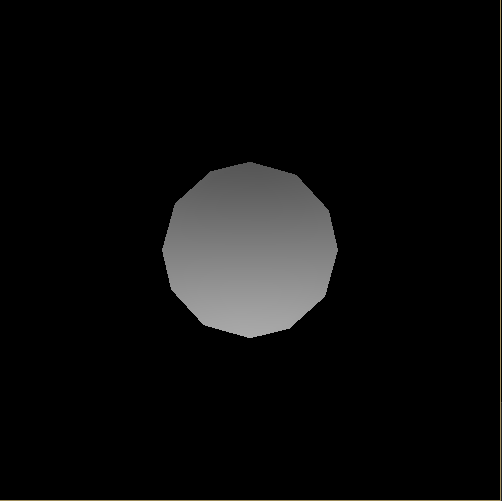
Okay! So now that we have a better representation of what we want from our mesh let’s move onto the physics body.
Since we just want something that is very basic, creating a sphere in Box2D is extremely easy.
// We used to create a polygon shape and set is as a box
b2PolygonShape groundBox;
groundBox.SetAsBox(float, float);

// Now we just create a circle and set the radius
b2CircleShape circle;
circle.m_radius = 1.0f;
And that is our first goal completed. For the final game we will probably go back to a b2PolygonShape and pass in vertices to define a custom shape one closer to the final shape of the jewels. For now however, let’s toss these new jewels in the previous simulation we had at the end of milestone 2 and see how it looks!
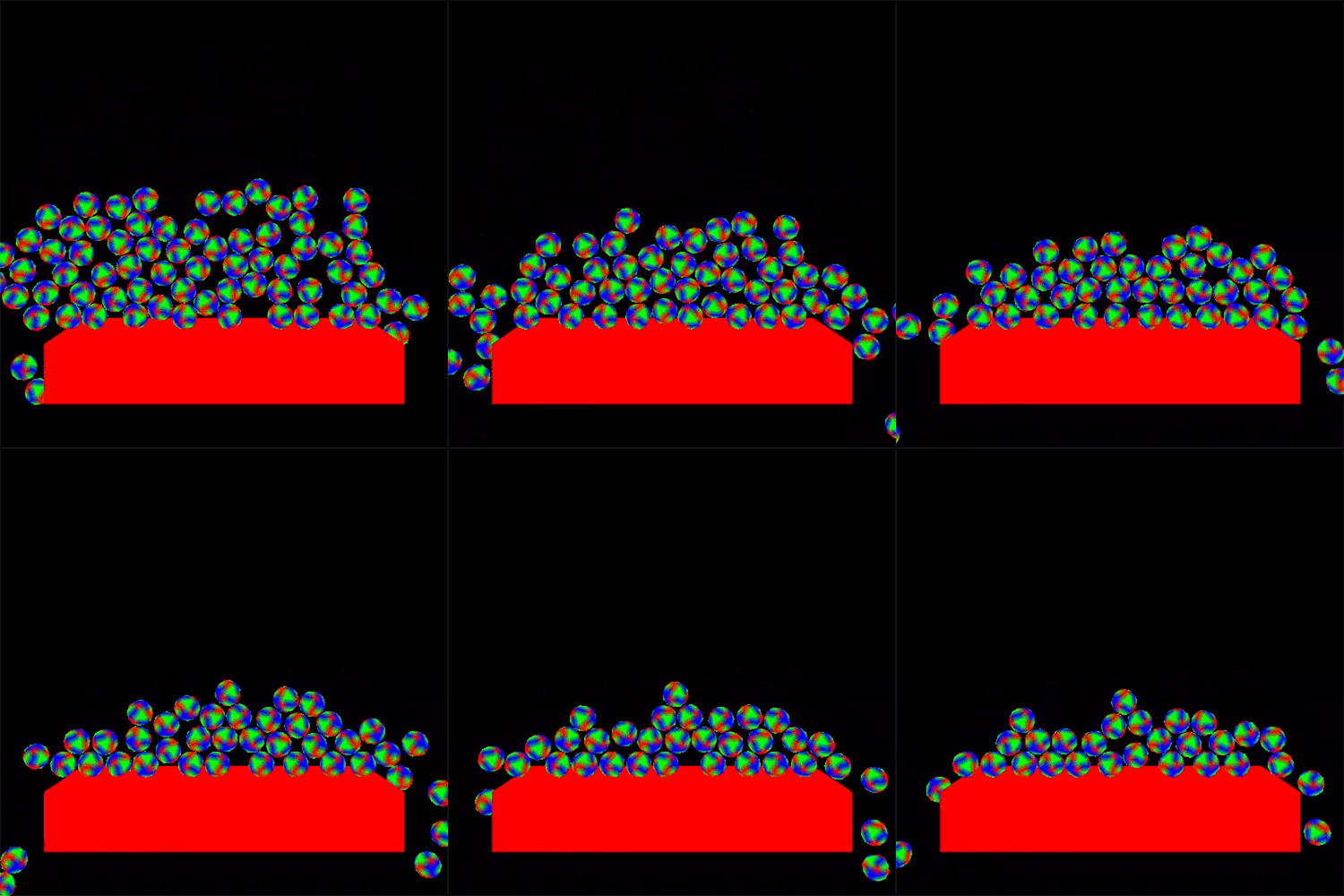
It looks great! but let’s add some walls and see if the jewels will settle and create connections and pockets like we want in the final game.
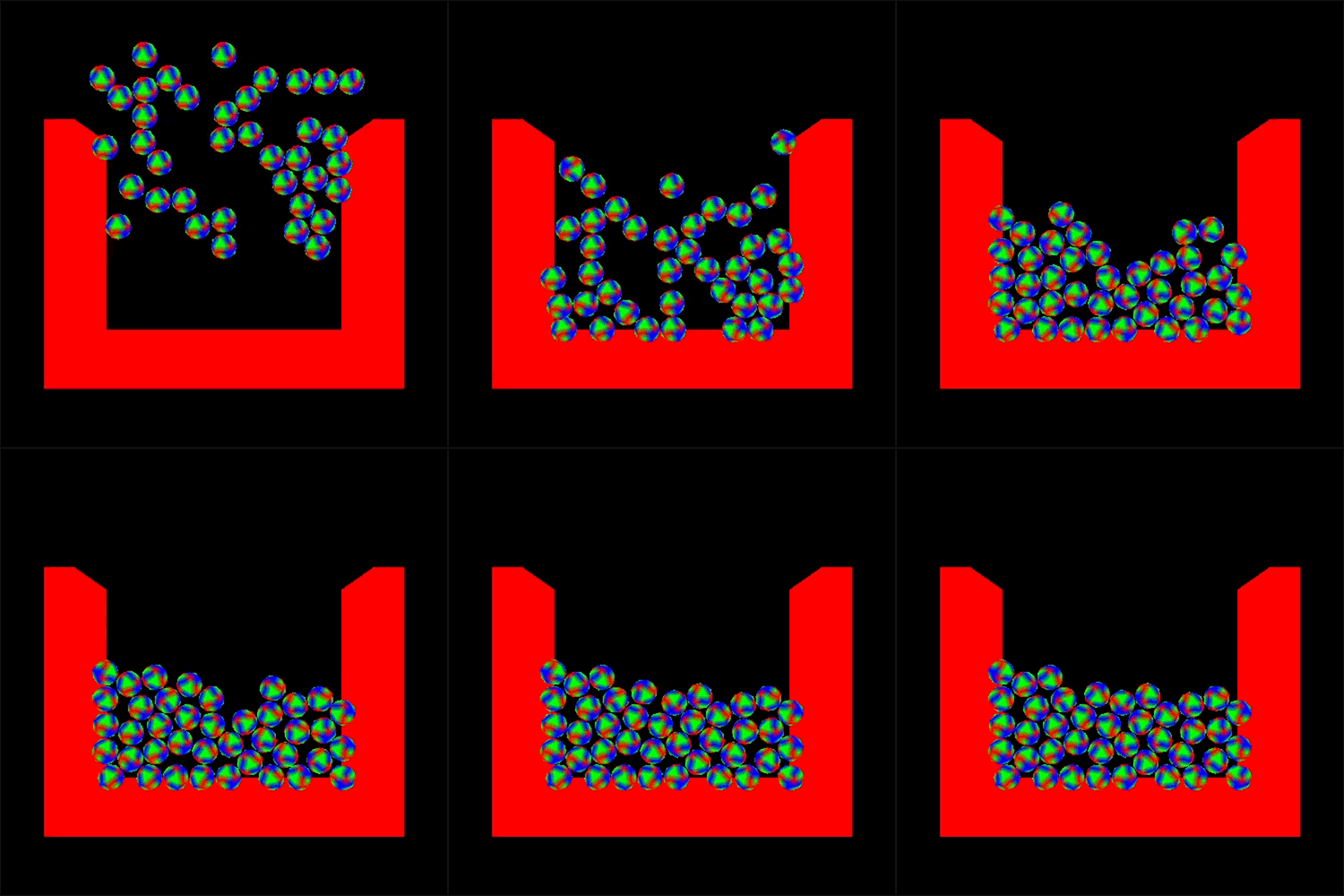
The next goal will be for us to create the game logic system. At this point the game logic is part of the rendering system, it simply spawns jewels at the start of the game and that’s it. So we want to start by creating the game logic system and moving that logic over.
// GameLogic.h
namespace AthenaGameLogic {
    void Init();
    void Update();
    void Terminate();
    std::vector<GameActor*> GetActors();
}

// GameLogic.cpp

// Init just handles basic set up
void Init() {
    std::srand(std::time(0));

    // Spawns a bunch of randomly placed jewels
    for (int i = 0; i < 70; ++i) {
        int randomx = std::rand() % 15;
        int randomy = std::rand() % 15;
        int randomangle = std::rand() % 360;
        int randomCheck = std::rand() % 2;
        if (randomCheck == 1) {
            randomx = randomx * -1;
        }

        Jewel* newJewel = new Jewel(randomx, randomy, randomangle);
        jewels.push_back(newJewel);
        actors.push_back(newJewel);
    }
    actors.push_back(new Ground(b2Vec2(0.0f, -10.0f), b2Vec2(12.0f, 1.0f), 0.0f));
    actors.push_back(new Ground(b2Vec2(-11.0f, -1.0f), b2Vec2(8.0f, 1.0f), 1.5708f));
    actors.push_back(new Ground(b2Vec2(11.0f, -1.0f), b2Vec2(8.0f, 1.0f), 1.5708f));
}

// Deletes all the actors
void Terminate() {
    for (GameActor* actor: actors) {
        delete(actor);
    }
 }

// Update will come later
So now that the GameLogic system is setup we simply add it to the core loop.
    AthenaPhysics::Init();
    AthenaRenderer::Init();
    AthenaGameLogic::Init();

    while (!AthenaRenderer::Closed()) {
        // I added the ability to pause the engine so I could more easily set up
        // gif scenes currently part of the renderer which I am not a fan of
        // and I will need to find a way to solve that
        if (!AthenaRenderer::Paused()) {
            AthenaPhysics::Step();
            AthenaRenderer::Display(AthenaGameLogic::GetActors());
            AthenaGameLogic::Update();
        }
        glfwPollEvents();
    }

    AthenaGameLogic::Terminate();
    AthenaRenderer::Terminate();
    AthenaPhysics::Terminate();
Basically the same as before but while the window is open we are going to call Update on the GameLogic.
I would like to point out that I created a base GameActor class to make it easier to pass around the different game objects to the different systems. Currently it’s just being passed between the Renderer and the GameLogic. This will likely change in the future since I want to make the renderer more independent but I am currently unsure how to approach this.
The base GameActor class encapsulates all the data common between all my current game actors: jewels and ground.
class GameActor {
protected:
    char* name;
    Mesh* mesh = nullptr;
    b2Body* rigidBody = nullptr;
public:
    GameActor(char* meshName = nullptr, char* name = "GameActor");
    virtual ~GameActor();

    b2Vec2 GetPosition();
    b2Vec2 GetSize();
    float GetAngle();
    char* GetName();

    // Expects a valid program in the context
    void Render();
};
The next goal will be to handle collisions between the objects. We want to know when jewels collide with one another so that we can create matches between jewels of the same colour.
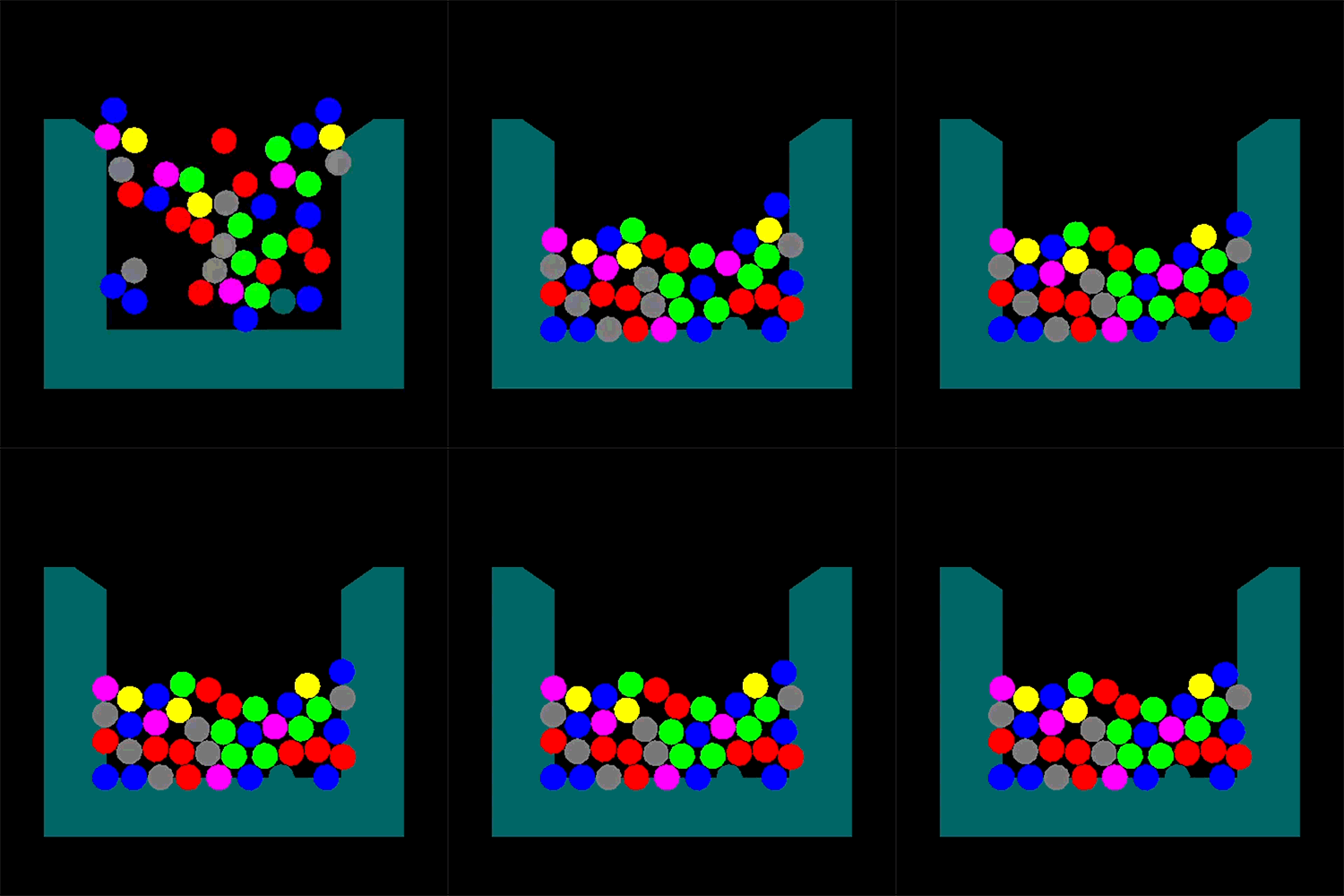
So let’s start by adding colours to the jewels. Colours will be both the visual colour for rendering as well as the data we will use to match jewels.
enum ColourType {
    NONE = 0,
    RED = 1,
    BLUE = 2,
    GREEN = 3,
    YELLOW = 4,
    PURPLE = 5,
    GREY = 6
};

class Jewel : public GameActor {
    ColourType colour;
    ...
    .
    .
};
Using a base colour shader in the renderer we can switch based on the jewels colour that we are about to render, upload a uniform colour to the shader and render the jewel.
Here is a summary of the code:
switch (tempColour) {
    case ColourType::BLUE:
        glUniform4f(uniformColour.baseColourUnif, 0.0f, 0.0f, 1.0f, 1.0f);
        break;
    case ColourType::GREEN:
        glUniform4f(uniformColour.baseColourUnif, 0.0f, 1.0f, 0.0f, 1.0f);
        break;
    ...
    .
    .
}
...
.
.
actor->render();
/********FRAGMENT SHADER********/
#version 330
uniform vec4 uniformColour;

out vec4 outputColour;

void main() {
    outputColour = uniformColour;
}
which produces the following result
Box2D offers quite a few ways to go about responding to collisions. If you have used other game engines like Unity or Unreal Engine you will probably find the contact listener the most familiar. This is a derivable class that you can use to handle your Box2D collisions.
The code in the Box2D user manual sets it up as follows:
// Create a class from the b2ContactListener
class MyContactListener : public b2ContactListener {
public:
 void BeginContact(b2Contact* contact)
 { /* handle begin event */ }
 void EndContact(b2Contact* contact)
 { /* handle end event */ }
 void PreSolve(b2Contact* contact, const b2Manifold* oldManifold)
 { /* handle pre-solve event */ }
 void PostSolve(b2Contact* contact, const b2ContactImpulse* impulse)
 { /* handle post-solve event */ }
};

/**********Mine looks like this for now**********/
void AthenaContactListener::BeginContact(b2Contact* contact) {
    // We get the user data of each body and try and cast it to a jewel
    GameActor* actorA = (GameActor*)(contact->GetFixtureA()->GetBody()->GetUserData());
    Jewel* jewelA = dynamic_cast<Jewel*>(actorA);

    GameActor* actorB = (GameActor*)(contact->GetFixtureB()->GetBody()->GetUserData());
    Jewel* jewelB = dynamic_cast<Jewel*>(actorB);

    // if both pointers to the user data can be cast to a jewel
    // we know we are dealing with two colliding jewels
    if((jewelA != nullptr) && (jewelB != nullptr)) {
        // We add the jewels as neighbours to one another
        jewelA->AddNeighbour(jewelB);
        jewelB->AddNeighbour(jewelA);
    }
}

void AthenaContactListener::EndContact(b2Contact* contact) {
    // Same as on begin contact but we want to remove jewels as neighbours instead
    GameActor* actorA = (GameActor*)(contact->GetFixtureA()->GetBody()->GetUserData());
    Jewel* jewelA = dynamic_cast<Jewel*>(actorA);

    GameActor* actorB = (GameActor*)(contact->GetFixtureB()->GetBody()->GetUserData());
    Jewel* jewelB = dynamic_cast<Jewel*>(actorB);
    if ((jewelA != nullptr) && (jewelB != nullptr)) {
        jewelA->RemoveNeighbour(jewelB);
        jewelB->RemoveNeighbour(jewelA);
    }
}

/*************************************/
// In the code above you can see I am accessing the user data of a body this is a
// pointer that can be set to whatever data you want during creating of jewels and ground
// I just set it as a point to the object that is being created like so

// "this" being either a ground or jewel whichever is being
// created
bodyDef.userData = this;
/*************************************/

// Now we instantiate our listener and set it as the
// listener for our PhysicsWorld from milestone 2

/********PHYSICS.CPP********/
void Init() {
    b2Vec2 gravity(0.0f, -10.0f);
    PhysicsWorld = new b2World(gravity);
    ContactListener = new AthenaContactListener();
    PhysicsWorld->SetContactListener(ContactListener);
}
The functions to add and remove neighbours from a jewel are pretty basic:
void Jewel::AddNeighbour(Jewel* newNeighbour) {
    // The only interesting this here is we filter jewels based on colour
    // to improve the matching algorithm
    if (colour == newNeighbour->GetColour()) {
        neighbours.push_back(newNeighbour);
    }
}

void Jewel::RemoveNeighbour(Jewel* oldNeighbour) {
    // just checking the list of neighbours for the jewel

    if(colour != newNeighbour->GetColour()) return;
    for (int i = 0; i < neighbours.size(); ++i) {
        if (neighbours[i] == oldNeighbour) {
            neighbours.erase(neighbours.begin() + i);
            break;
        }
    }
}
So now that we are handling collisions between our jewels and each jewel has a list of all other jewels of the same colour that it is touching, we can check for matches. You can use whatever solution you find easiest or whatever other solutions you can find online, this is what is currently in Athena.
void CheckMatches() {
    std::vector<Jewel*> Visited;
    std::vector<Jewel*> MatchList;

    for (Jewel* jewel : jewels) {

        if (Contains(jewel, MatchList)) {
	    continue;
	}

        // Using a deque instead of recursion
	std::deque<Jewel*> WorkingStack;
	WorkingStack.push_back(jewel);
	while (WorkingStack.size() > 0) {
	    Jewel* node = WorkingStack.back();
	    WorkingStack.pop_back();

            // Contains is a small helper function to check whether a
            // vector contains a value
	    if (!Contains(node, Visited)) {
		Visited.push_back(node);
		WorkingStack.insert(WorkingStack.end(), node->neighbours.begin(), node->neighbours.end());
	    }
	}

	if (Visited.size() >= MIN_COMBO_LENGTH) {
	    MatchList.insert(MatchList.end(), Visited.begin(), Visited.end());
            // increment combo. This will come once we have a player
	}

	Visited.clear();
    }

    for (Jewel* jewel : MatchList) {
        for (int i = 0; i < jewels.size(); ++i) {
	    if (jewel == jewels[i]) {
	        jewels.erase(jewels.begin() + i);
	        break;
	    }
        }

        for (int i = 0; i < actors.size(); ++i) {
	    if (jewel == actors[i]) {
	        actors.erase(actors.begin() + i);
	        break;
	    }
        }

        delete(jewel);
    }
}
So once we are done this we are going to want to test that it works. However just spawning a bunch of jewels all at once isn’t really going to be a good way to see if the matching code is working well. So we need a new solution, one that will allow us to observe matches about to occur. To do this I moved the Jewel spawning code from the GameLogic Init function to a SpawnJewels function and changed it so that it only spawns 2 jewels every second.
void SpawnJewels() {
    double time = glfwGetTime();

    if (time - lastTime > 1) {
        std::srand(std::time(0));
        for (int i = 0; i < 2; ++i) {
            int randomx = std::rand() % 10;
            int randomy = std::rand() % 15;
            // We only random between 3 of the available colours because
            // we want to see matches more quickly
            int randomColour = (std::rand() % 3) + 1;
            int randomCheck = std::rand() % 2;

            if (randomCheck == 1) {
                randomx = randomx * -1;
            }

            Jewel* newJewel = new Jewel(randomx, randomy, (ColourType)randomColour);
            jewels.push_back(newJewel);
            actors.push_back(newJewel);
        }

        lastTime = time;
    }
}
Now let’s call both the SpawnJewels and the CheckMatches function when the GameLogic updates
void Update() {
    SpawnJewels();
    CheckMatches();
}
When we run this code we will see the following:
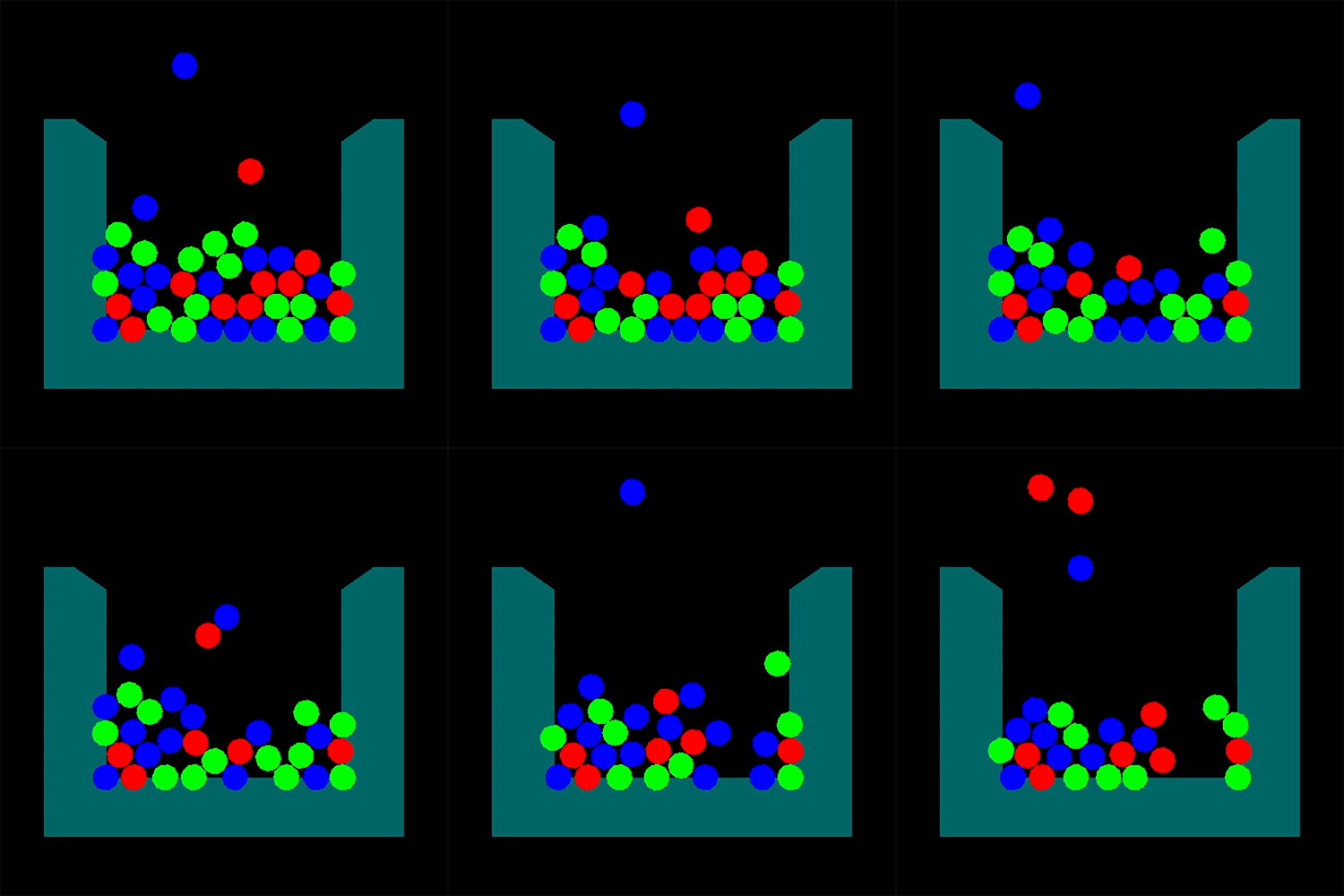
This is obviously taken part way through a game where a bunch of jewels have already dropped but we can clearly see that everything is working! Jewels of a random colour are falling into the playing field and creating matches with one another! The matches are being found and being removed from the playing field and we can see that the jewels left in the playing field continue to simulate and form new matches! Eventually this will power the combo system.
And there we have it! Milestone 3. Gameplay updates each frame spawning more jewels and creating more matches. If we were to add user input we could absolutely consider this a game and that is a huge accomplishment that I am extremely proud of.
As you can see though the game looks very flat, despite being in 3D it looks like a 2D game. To help make the game look a little more accurate to the final product the next milestone will be about getting some basic lighting into the engine to help the game feel more vibrant!